
Introduction
This guide is for you whether you bought Polychrome or are still deciding.
I'll show you how to add your filaments and pick a picture for your first print. The first time you open Polychrome, it offers a free seven-day trial and a short tour. You can start the trial straight away or look around first.
Add a few filaments
To get started, I recommend you add some filaments you have lying around. Open the Filaments page, press Add a filament (1), pick its colour (2), give it a name (3) and press Add (4).
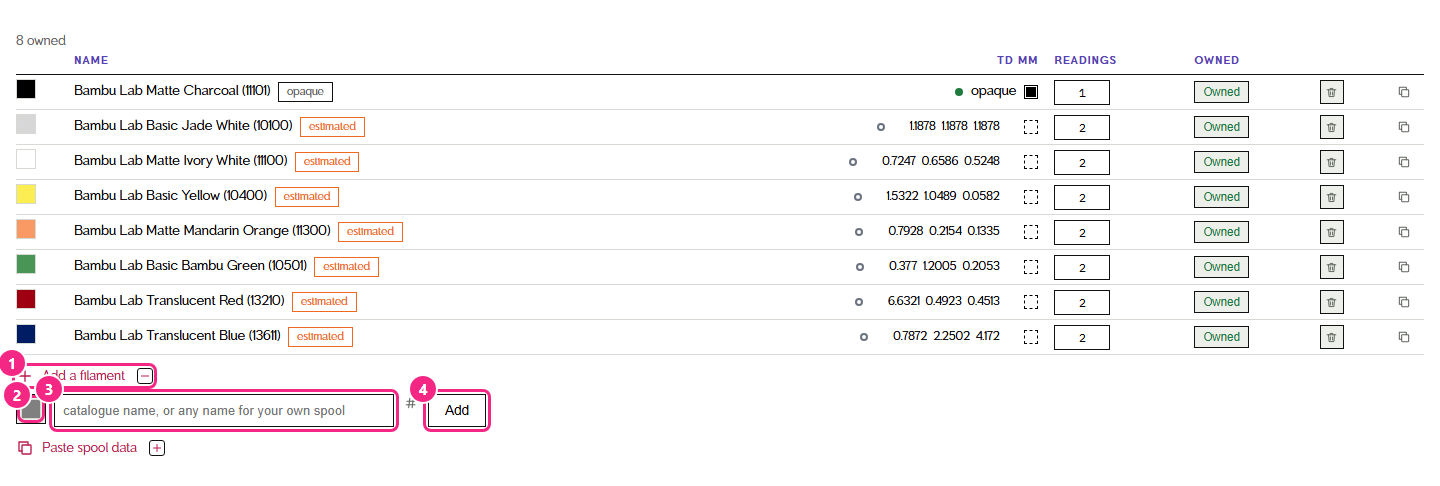
Polychrome already comes with eight Bambu Lab filaments: Matte Charcoal, Basic Jade White, Matte Ivory White, Basic Yellow, Matte Mandarin Orange, Basic Bambu Green, Translucent Red and Translucent Blue. These eight and six more Bambu Lab rolls ship measured; the full list is on the compatibility page. If you don't have one of them, click Owned next to it so it says Not owned. Only the filaments you own are used when ranking palettes.
When you add your own, you don't need to add all of them, just a few different colours from the rolls you have. (White and black are not required, but they add a lot of colours.)
Pick a picture
After you've added a few filaments, find an image you want to print (it can be anything), and import it in the Studio with upload.
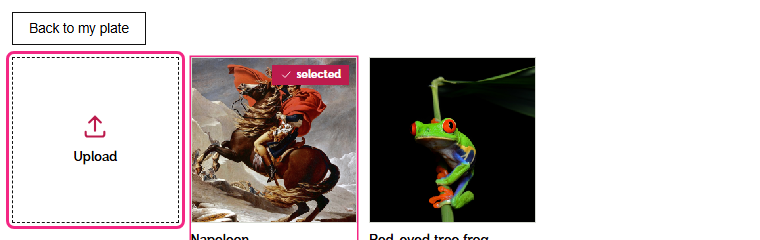
For a photo, pick one with a clear subject and good light: a face or a pet that fills the frame is a better start than something small in the distance.
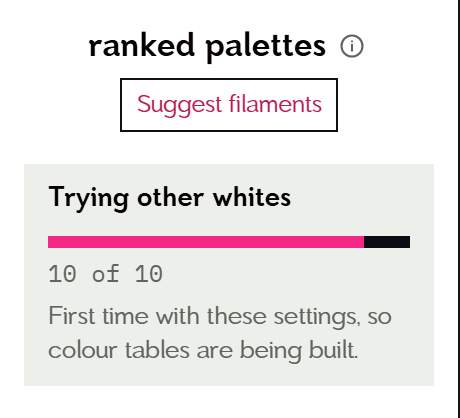
Polychrome starts ranking palettes for it straight away. The first time with new settings it has to build some colour tables, so it can take a little while. The box above the palettes shows how far along it is.
Want to print something before you set anything up? The Plates page has two finished example plates that use the starter spools and print without a licence. Printing your plate has more on them.
Not sure which filaments to add?
Once your picture is ranked, press Suggest filaments (1), just above the ranked palettes. It opens in the middle of the screen. Polychrome looks for the colours your current filaments can't reach and suggests up to three filaments (2) that would help. Press Preview with these (3) to see the picture with them, or Add my own filaments (4) if you'd rather pick your own.
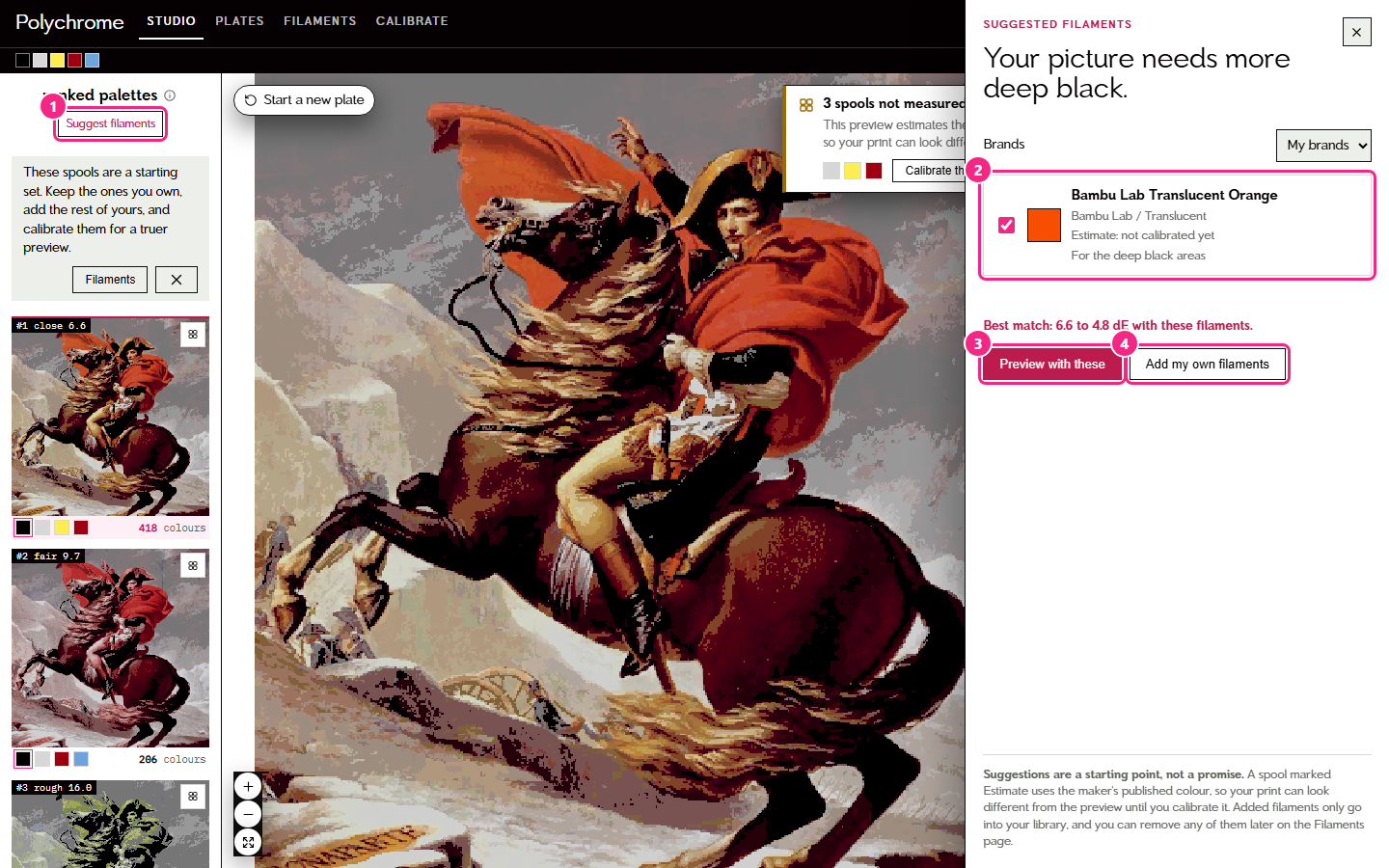
Each suggestion says Measured by Polychrome if I've measured it, or Estimate: not calibrated yet if it uses the maker's published colour, so treat those as a starting point until you calibrate them. They only go into your library, and you can remove any of them later on the Filaments page.
If you get stuck
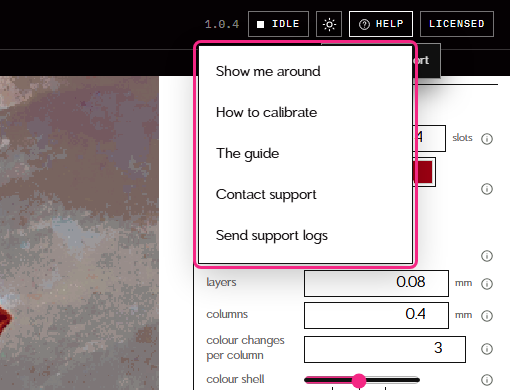
The Help menu in the top right has everything in one place: it can walk you through the app again (Show me around), open this guide, show you how to calibrate, or get in touch with me.
Next, start your free trial or activate your licence so you can build plates. After that, Calibrating your filaments covers what to do next.