

Windows
Download the ZIP
Download the ZIP file and open your Downloads folder.
Unblock the ZIP
Right-click the ZIP, choose Properties, tick Unblock at the bottom, then press OK. Do this before extracting. Windows marks everything inside a downloaded ZIP, and some of what Polychrome needs will not load while the mark is there.
Extract the files
Right-click the ZIP again, choose Extract All, and pick where to put it. Your Desktop is fine.
Open Polychrome
Open the folder it made and double-click Polychrome.
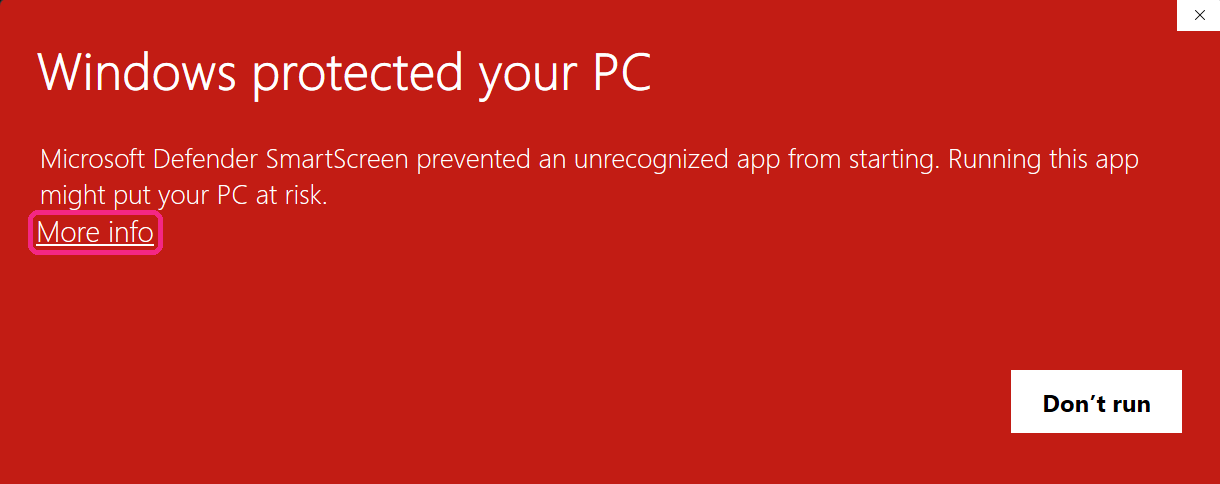
Choose More info
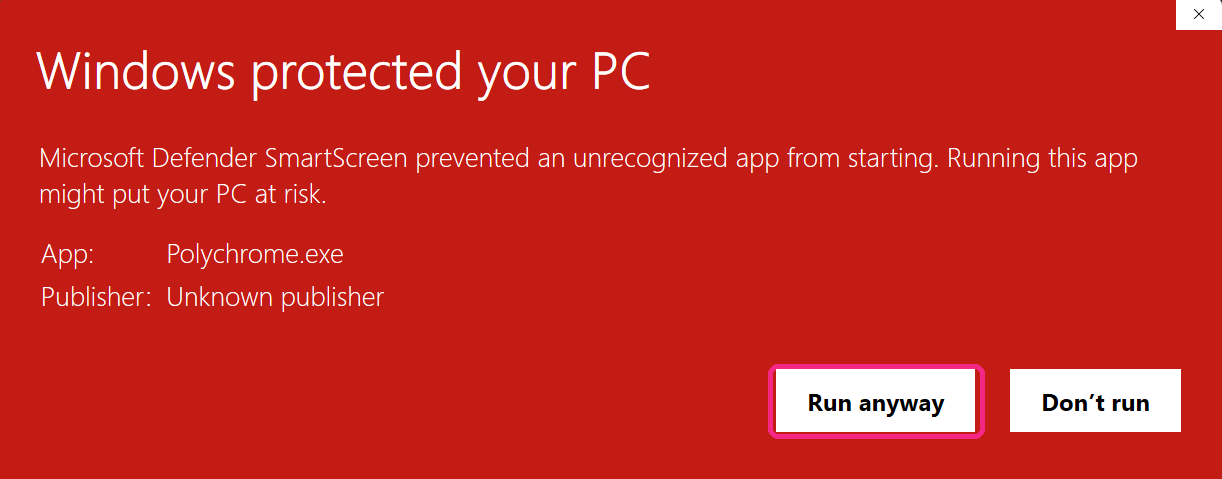
A red box appears: "Windows protected your PC". Click More info, which is small and easy to miss.
Choose Run anyway
Clicking More info expands the box and adds Run anyway. Click it to start the app. You only do this once. After that Windows remembers.
Keep the whole folder together. Polychrome runs from the files beside it, so moving
Polychrome.exeout on its own will stop it working.